 French
 German
 Italian
 Spanish
 Russian
 Turkish
 Portuguese
 Japanese
 Dutch
Dutch Polish
 Korean
 Chinese (Simplified)
 Chinese (Traditional)
Convert FLAC to MP3 and split it to individual tracks using CUE file.
FLAC (Free Lossless Audio Codec) is a very popular open format for lossless compression of audio data. Along with APE, ALAC, WavPack and WMA Lossless, this format is praised among music fans. Despite all its advantages, the format has one significant drawback - its size. A copy of audio disk converted to FLAC takes about 400-500 Mb – not too much for a modern PC, but still a bit weighty for mobile devices. Here you can learn how to convert quickly files from FLAC to more lightweight MP3.
This guide has been written using the Mac version of the program, but the steps for Windows are the same
-
Add a FLAC file
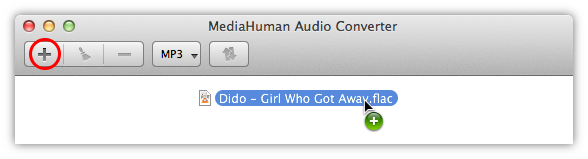
Download and run MediaHuman Audio Converter, then click the Add button on the toolbar, and select the desired file. You can simply drag and drop that file to the program window.
-
CUE splitting
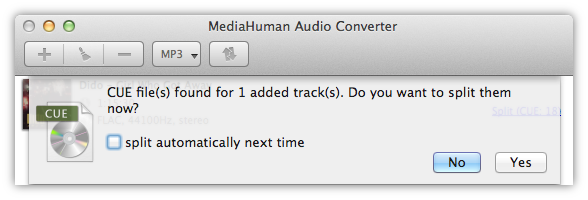
If the folder containing the FLAC file also has a CUE file (this tandem is often called (image+.cue), the program will suggest splitting FLAC to individual tracks.
-
Select MP3 format
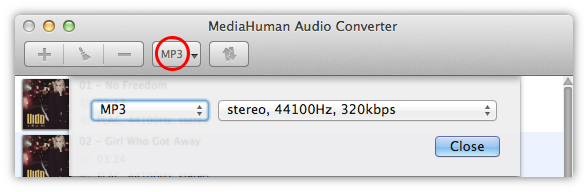
After we have added files, it is time to choose the conversion format, MP3 in our case. Click the Format button on the toolbar (it displays the current format) and select MP3 from the dropdown.
Note: If you click the arrow instead, a menu with last used formats will open.
-
Additional format settings
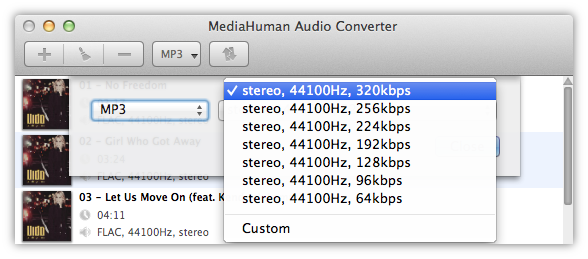
In this dialog you can adjust additional settings of the format (the number of channels, bitrate, sample rate). You can use predefined settings from the list or click the Customize button and create your own combination of settings that will be saved for later use.
-
Converting
Everything is ready, so we merely need to click the Convert button and watch the process.

-
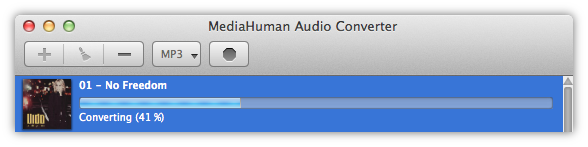
While the process is going
The program utilizes the entire power of your computer and by default runs as many simultaneous converting processes as the number of cores your CPU has. You can reduce this parameter in Preferences.
-
Converting is done
Well done! With just a few simple steps we successfully split FLAC to tracks and converted them to the MP3 format. To open the destination folder containing the converted files, click the Locate button.

We hope you find this guide as simple and useful as our program. Using the same technique you can split FLAC (image+.cue) to FLAC tracks (tracks+.cue) or convert FLAC to ALAC (Apple Lossless) as well as to other audio formats.