French
 German
 Italian
 Spanish
 Russian
 Turkish
 Portuguese
 Japanese
 Dutch
Dutch Polish
 Korean
 Chinese (Simplified)
 Chinese (Traditional)
Extract audio from Bilibili videos as MP3 on Mac and PC
If you follow the Bilibili music scene - vocal covers, fan-made remixes, anime OST compilations - you've probably wished you could just have the audio without the video. YouTube to MP3 Converter makes that easy. Give it a Bilibili link, and it saves the audio track as an MP3. No video gets downloaded, so it's fast and doesn't eat up storage.
The screenshots were taken using the Mac version of the program, but the application looks almost the same on Windows and Linux.
-
Copy the link
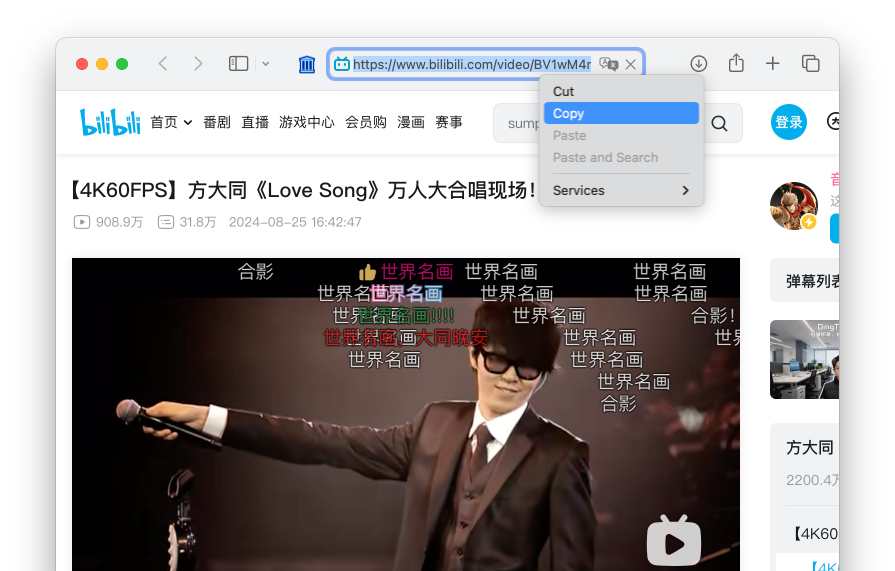
Head over to bilibili.com and find the music video or cover you want. Right-click the address bar and choose Copy.
-
Paste the link
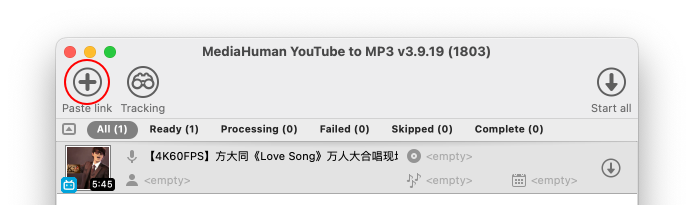
Switch to YouTube to MP3 Converter. Paste the link by clicking the Paste link button in the toolbar, or simply press Ctrl+V on Windows or ⌘+V on Mac - the link is pasted and the video title appears in the queue.
-
Convert
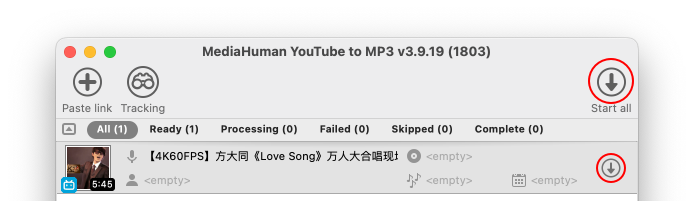
Click Start all. The program extracts the audio stream and converts it to MP3 - no video is downloaded, so it's fast and doesn't take up extra storage.
-
Done
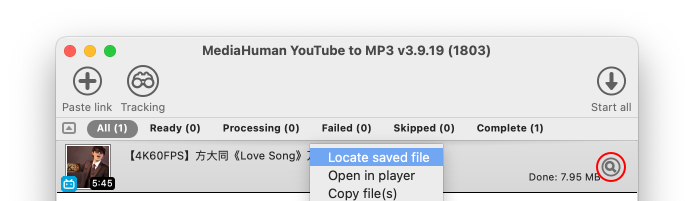
When the status changes to Done, right-click the entry and choose Open in player to listen right away, or Locate saved file to open its location in Finder or Explorer.