Beta
Version: 0.2.0 · Updated on October 16, 2026
Changelog

Trackray

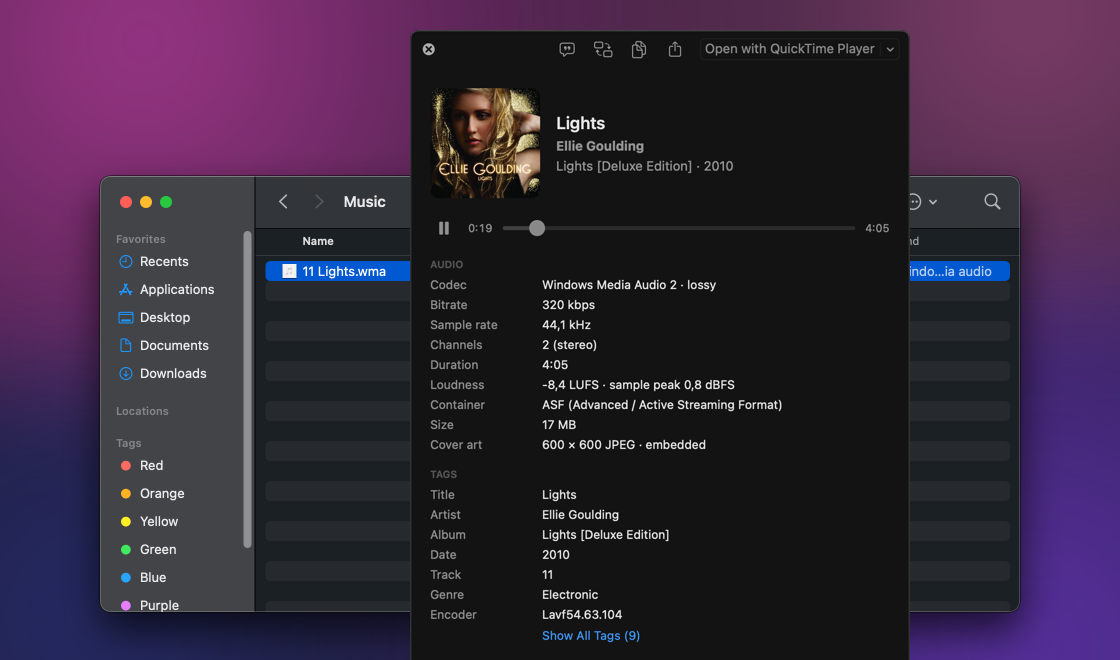
MediaHuman Trackray is a free Mac app that shows what is inside an audio file without opening a player. Select a track in Finder, press a shortcut, and a Quick Look-style panel shows the format, bitrate, loudness, tags and cover art while the track plays. It handles FLAC, APE, WMA, Opus, DSD and 200+ other formats, including many that macOS can't play on its own.

  • Opens from Finder with one shortcut
  • Plays FLAC, APE, WMA, Opus, DSD and 200+ formats
  • Codec, bitrate, sample rate and bit depth
  • Loudness (EBU R128), peak and ReplayGain
  • Tags, lyrics and cover art
  • Browse several files with the arrow keys
Trackray

Download for other platforms →

Main Features:

One shortcut from Finder

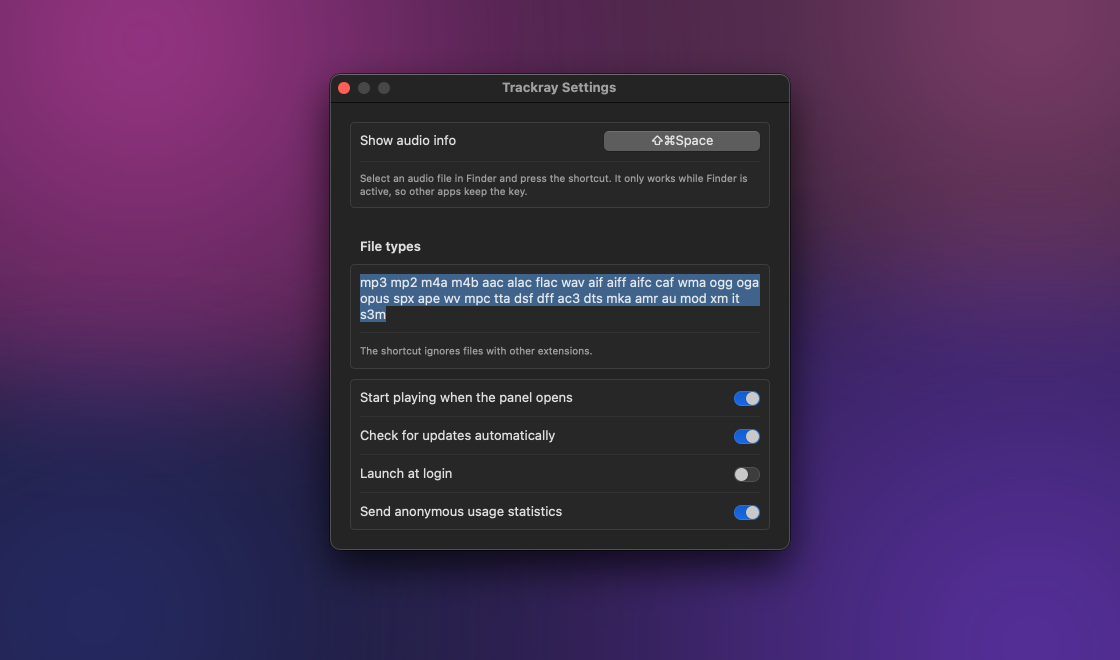
Select a track in Finder and press ⇧⌘Space, or a shortcut of your own. A panel opens beside Finder, and Finder keeps the focus: move the selection and the panel follows it. The rest of the time Trackray waits in the menu bar, with no Dock icon and no windows.

Plays 200+ audio formats

FLAC, APE, WMA, Opus, WavPack, DSD and Musepack play right in the panel, including the ones macOS can't play on its own. Playback starts as soon as the panel opens, like in Quick Look. Space pauses, Esc closes.

The technical details

Codec, container, bitrate, sample rate, bit depth, channels, duration and size, plus whether the file is lossless. For MP3 files you also see CBR or VBR, the LAME version and the lowpass frequency.

Loudness and ReplayGain

Trackray measures loudness by the EBU R128 standard and shows it in LUFS with the sample peak. If the file has ReplayGain tags, you see the track and album values too.

Tags, lyrics and cover art

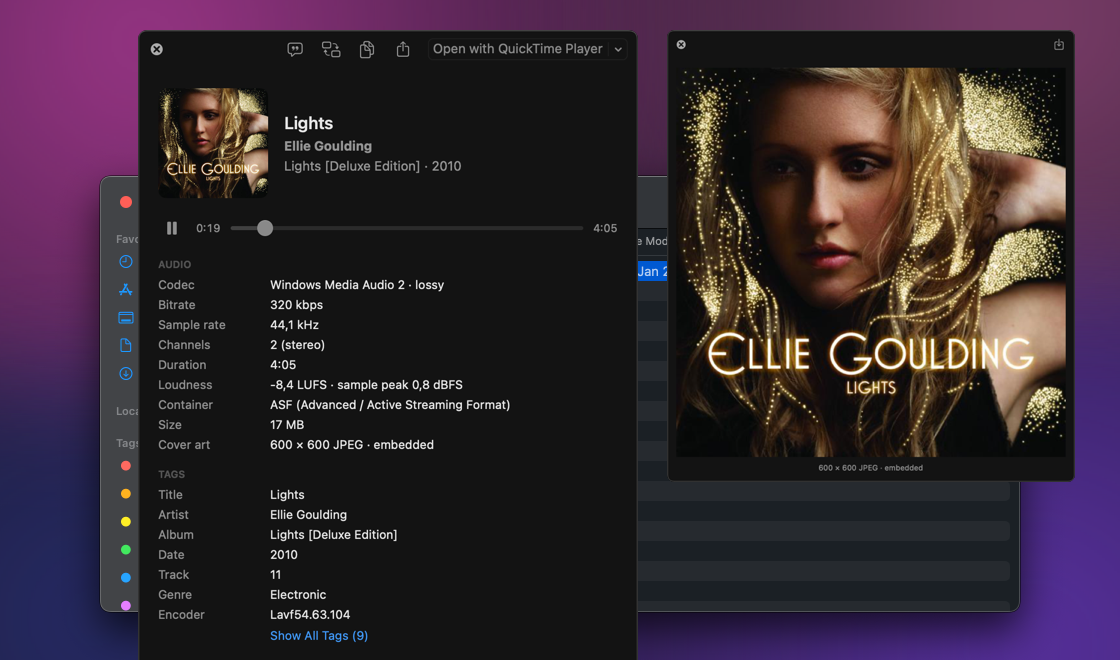
The common tags come first, and Show All Tags lists every metadata field in the file. Lyrics stored in the file are shown too. The cover comes from the file or from an image in the album folder: click it to see it large, or drag it out to save it.

Several files in one panel

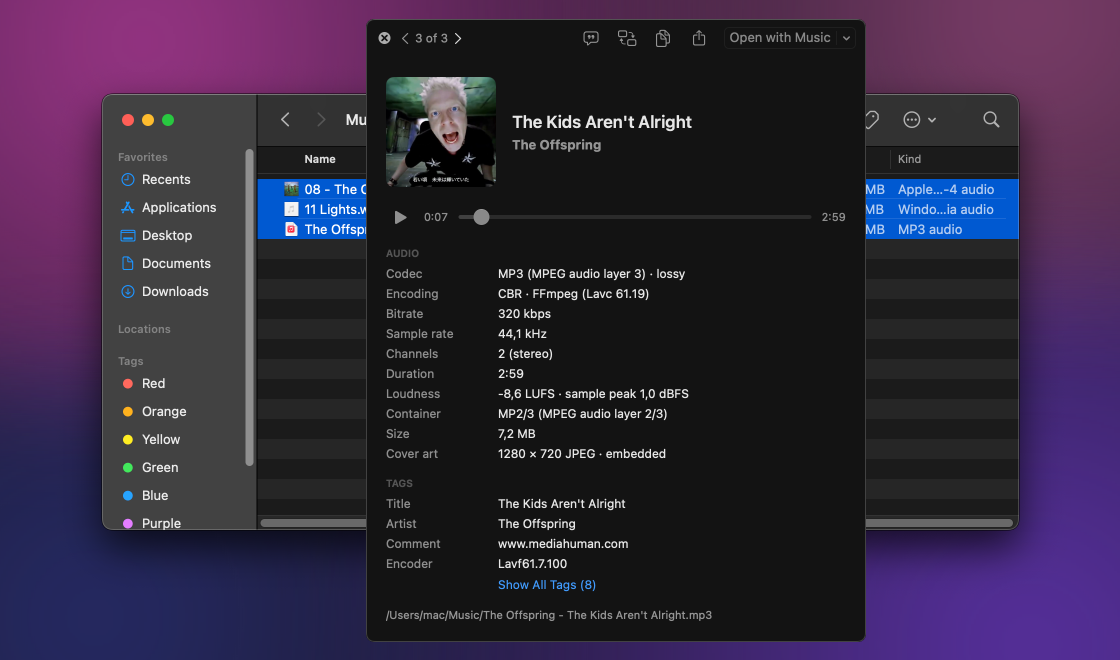
Select a few tracks in Finder and step through them with the arrow keys, the same way as in Quick Look. Copy Info puts a plain text summary on the clipboard, handy for a forum post or a support request.

System Requirements

  • macOS 27.0 (Golden Gate), macOS 26.0 (Tahoe), macOS 15.0 (Sequoia), macOS 14.0 (Sonoma), macOS 13.0 (Ventura)
  • Intel, AMD or Apple silicon (M1, M2, M3, M4, M5, M6) processors
  • About 40 MB of free hard drive space

Screenshots

Our other products