 French
 German
 Italian
 Spanish
 Russian
 Turkish
 Portuguese
 Japanese
 Dutch
Dutch Polish
 Korean
 Chinese (Simplified)
 Chinese (Traditional)
How to extract audio from Reddit video posts and save as MP3
There's a surprising amount of music on Reddit - live performances, rare recordings, DJ sets in r/listentothis, podcast highlights. The catch is that you can't save Reddit videos at all, let alone rip just the audio. YouTube to MP3 Converter solves that: it pulls the audio directly from any Reddit video post and saves it as an MP3, no video download required.
The screenshots were taken using the Mac version of the program, but the application looks almost the same on Windows and Linux.
-
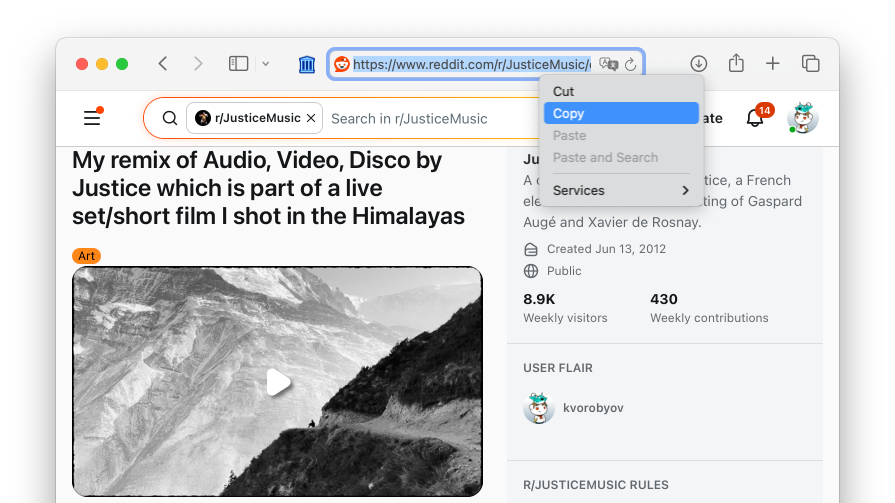
Copy the Reddit link
Open the Reddit post that has the audio you're after. Copy the URL - it doesn't matter if it's reddit.com, old.reddit.com, or a mobile share link.
-
Add it to the converter
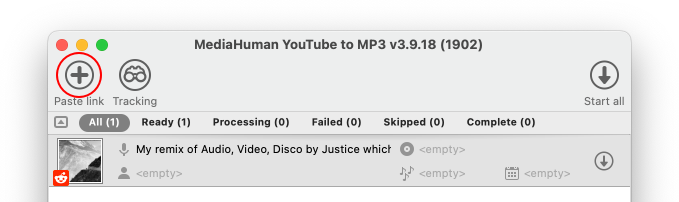
Open YouTube to MP3 Converter and paste the link by clicking the Paste link button in the toolbar, or simply press Ctrl+V on Windows or ⌘+V on Mac. You'll see the post title and a thumbnail once it's parsed.
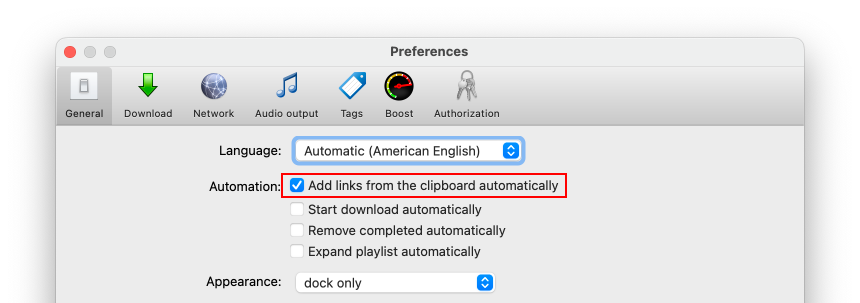
Tip: The program can also watch your clipboard automatically — if you copy a link while the app is open, it will offer to add it right away. You can enable this option in Preferences → General → add links from the clipboard automatically.
-
Hit Start
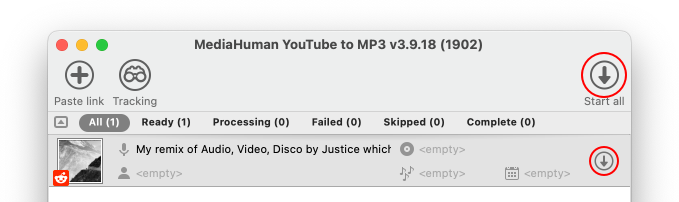
Click Start all to download the entire list, or click the Start button on an individual item to download only that one. The converter extracts just the audio stream - no video data is downloaded — and converts it to MP3. This takes a few seconds for a typical clip.
-
Done
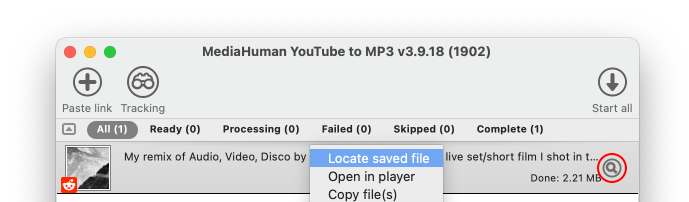
The MP3 file appears in your download folder, named after the post title. Right-click the entry and choose Locate saved file to get there or click the Locate button.


Tip: Not all Reddit videos have audio
Animated GIFs posted on Reddit look like videos but carry no audio track at all. You can tell the difference by the volume slider — if the player has one, there's real audio. If it just loops silently, it's a GIF.