You like to listen to music on YouTube, SoundCloud or Bandcamp and want to save it for offline playing. Or you want to download the soundtrack of a new movie. Then we recommend you to try out this software developed specifically for this purpose.

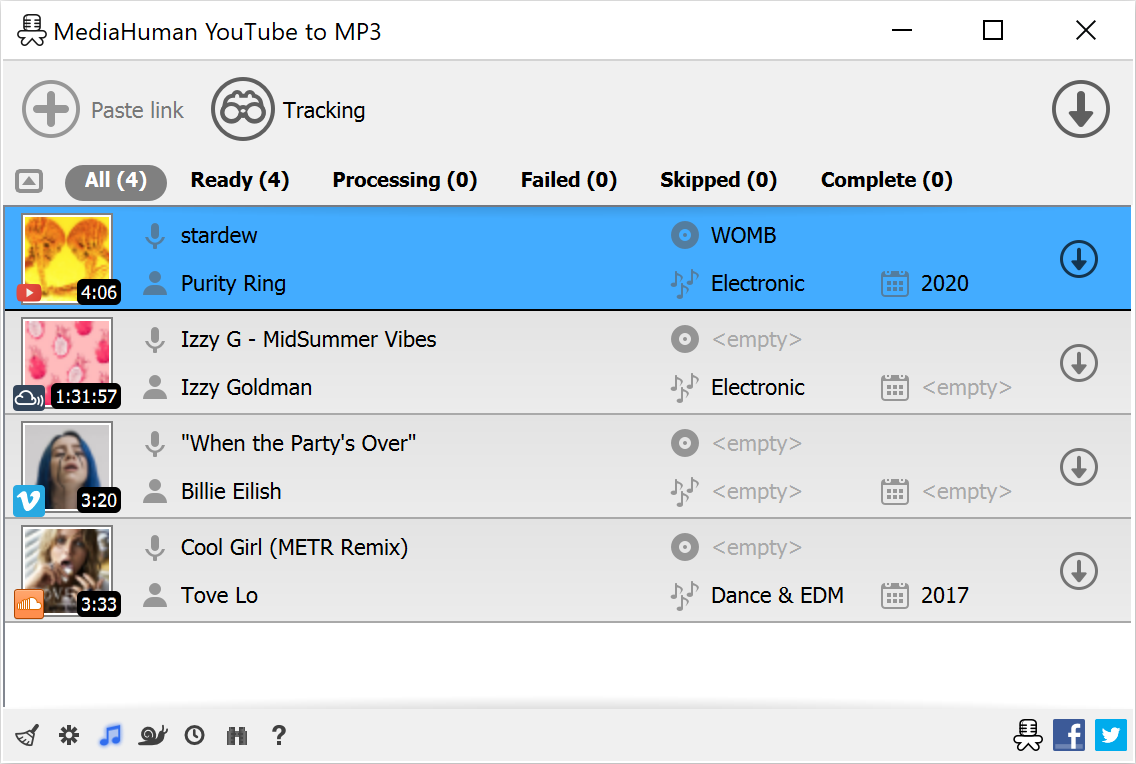

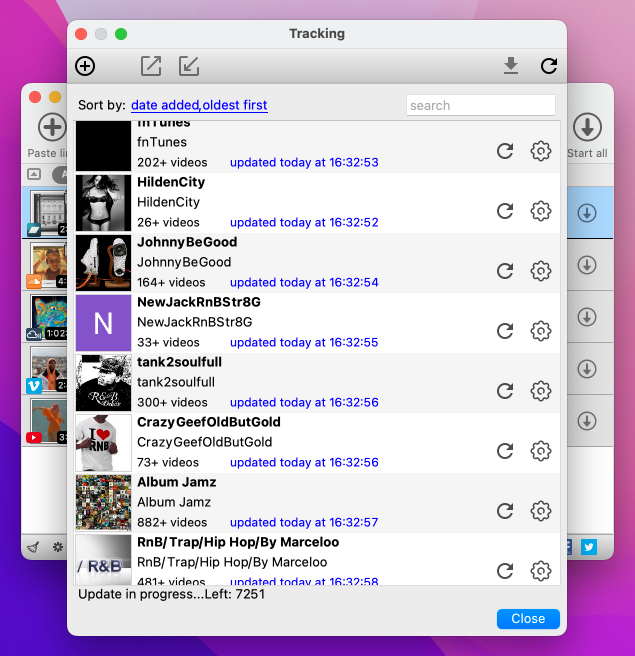
The software supports downloading all videos in a playlist or channel. There is also an option to subscribe and download only newly uploaded tracks.
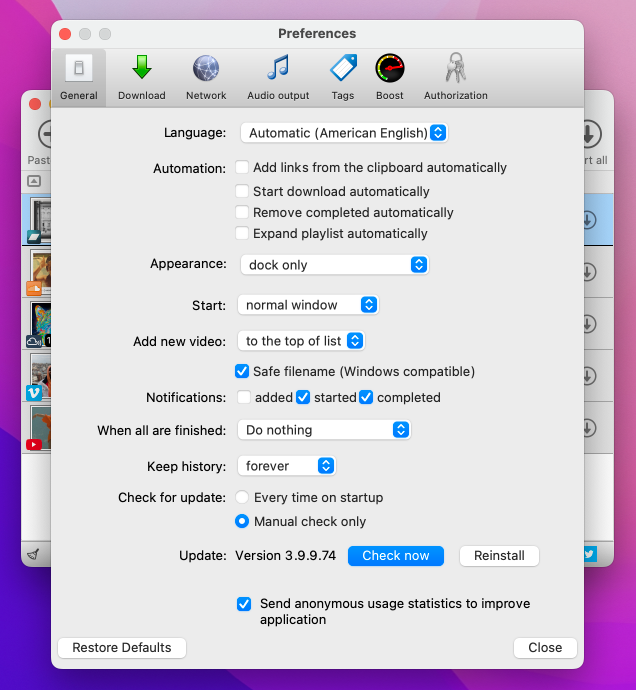
In the app preferences, you can select the option to automatically add the downloaded tracks to your iTunes/Music.app library. You can also specify the playlist to which the converted tracks will be added.
The app detects audio track in YouTube video clip and downloads it, skipping the video part. As a result download speed increases dramatically, especially on HD-quality content and higher.
Application automatically detects artist name and track title of the video and saves it in the downloaded file. But at the same time, you can easily change tags to whatever you want. You can even change a cover art image.
You can save audio tracks in original quality without any conversion. It means that there will be no loss of quality and it greatly reduces the downloading time.
There is a great amount of music on YouTube. And our app will help you to convert YouTube videos to MP3 or save it on your computer in original M4A/AAC format. Just find the track you like and download it in the quality you need.
Vevo.com, Vimeo, DailyMotion, Soundcloud, Spotify, Bandcamp, HypeMachine, MixCloud, MixUpload, Audiomack, UOL, Hearthis.at, Play.fm, Naver, BitChute, Brandnewtube, Brighteon, Rumble, Reddit, Bilibili and many other sites are also supported. So you can download music just as easily as you can from YouTube.
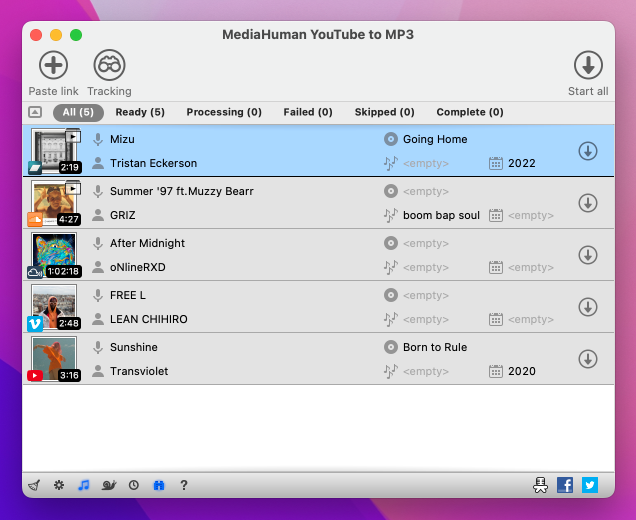
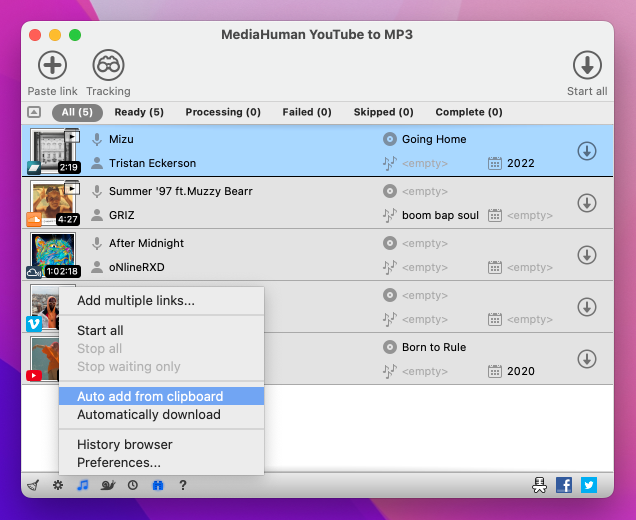
The program tracks the content of the system clipboard. It means that you can easily add a video clip to the download list without switching from your favorite browser. Just copy an URL into the clipboard and it will be added to the download queue.
Localized to: Arabic, Armenian, Azerbaijani, Bulgarian, Catalan, Chinese (Hong Kong SAR China), Chinese (Simplified), Chinese (Taiwan), Croatian, Czech, Danish, Dutch, English, Esperanto, French, German, Greek, Hebrew (Israel), Hungarian, Indonesian, Italian, Japanese, Korean, Latvian, Lithuanian, Malay, Norwegian Bokmål, Polish, Portuguese, Portuguese (Brazil), Romanian, Russian, Serbian, Slovenian, Spanish, Swedish, Turkish, Vietnamese
awesome software ! by just copying the url, the song is downloaded, converted and in my itunes library :D Clifford Galea Valletta
This software is extremely easy to use and very convenient as I don't like some artists whole albums. Thank you!! Jorge Henao
Thanks guys, great app to listen to all those youtube webcasts in my car! Wijnand Loven
Thank you! It's amazing software, excellent simple design and just do what I need. Great respect for the team who developed this nice piece of software. Wish you all the support you need to go on.... Thank you so much! Wolfgang Lindhorst
Love it!!! Finally i don't have to go to some stupid website that makes the quality 10x worse Mark Zapper
Probably the best Youtube to MP3 software i have used, great user friendly interface and super fast downloads. Kudos. Sikander Najib
wow this is a must have for any Mac user! thanks a lot for this (FREE) program! Victor Strouken
Guys, your yt to mp3 converter for mac osx absolutely rips! So nice to find a well designed program that works as it's supposed to, without any hassles and timewasting like so many others I've found. Nice logo, nice menus, user-friendly, worked first time out of the box just like mac stuff is supposed to! Very impressed. David
Superb product, contains no bloatware and doesn't even need to be installed. Incredibly fast, easy to use, and formats the music with all the correct labels (at great quality, too!) Thanks for developing this product, as well as being free! Steve Spamington
just downloaded the youtube converter. It's convenience and speed are unparalleled. cheers Patrick Barr
I just wanted to say awesome software and keep it up! This program is a life saver and will provide many many many good times in the future! Thanks a million guys. Billy V.
I would just like to say Thank you! your apps are amazing and I use them everyday! You have all done an amazing job and everything works perfectly! Sometimes I think "Wow I wish there was a app that could do this" and odds are your apps can already do it and do it well! So thank you very much for making mine and thousands of other lives much easier! And I wish you all great success in the future! David James Wood
First of all I would like to say that is by far the best and most user friendly grabber I ever used. It looks nice, has nice settings and is amazingly fast at downloading multiple videos at once. All these awesome features, and it's still free, just amazing! Victor Hofmans
Amazing job! I also love your approach to customers, offering them free trials of TurboBoost. At first I was skeptical with downloading a standalone program to download Youtube videos (I had no other choice to backup my playlist with music, as other methods were too slow), but it's better than I excepted. The ability to edit ID3 tags before downloading songs is also helpful. Maciej K.
This is my 10 month anniversary of using this product. No other program is better on the market!
Already rip approx 30K MP3s from YouTube! Sean
I really am not one to ever write things like this, but I feel like I really should just say that YouTube to MP3 is the best, most intuitive, most cohesive and most cleverly designed application I have ever downloaded. I help run a technology company so my standards are admittedly very high, but this software has and continues to exceed my expectations at every turn. I don't know if I'm writing this to say thank you or to express my gratitude to you guys that such a carefully thought out program exists (and for free nonetheless), but take it as you will and keep up the great work. I recommend it to all of my friends and have helped download it onto probably 50 people's computers and I have yet to hear anyone say a negative thing about it yet. Have a nice day! Hayden M.
This program is seriously the bee's knees! Gone are the days of woefully staring at a Youtube playlist not wanting to download each song individually. This program is exactly what it says on the tin! No malware, freeware, spyware, underwear -- nada! It's a godsend and a rarity in the typically unforgiving, scam-ridden land of the internet. You can even set the quality to whatever you want and have the tracks automatically numbered in the order of the playlist you got them from. Thank you so much for this program! :D Scoobert D
I have recently started using this after trying many other apps (free and paid for) and I must say this is by far the best! Best features: ability to transfer to i tunes (even a specific playlist) without fuss and not keep duplicates. Also accurate (eg artwork) and fast. Congratulations on producing task specific software that works! Stuart W.
I just wanted to say that I have been looking for this type of software for over two years now. After seeing that it was only 10 dollars, I thought it was too good to be true. After purchasing, I had a few issues, but MediaHuman was very responsive and helped me in very good time. My project includes converting thousands of audios to MP3 to use in another application, and when I say you saved me thousands of hours of manual clicking, every single cent was worth it. Thank you! Sam S.
 French
 German
 Italian
 Spanish
 Russian
 Turkish
 Portuguese
 Japanese
 Dutch
Dutch Polish
 Korean
 Chinese (Simplified)
 Chinese (Traditional)


